
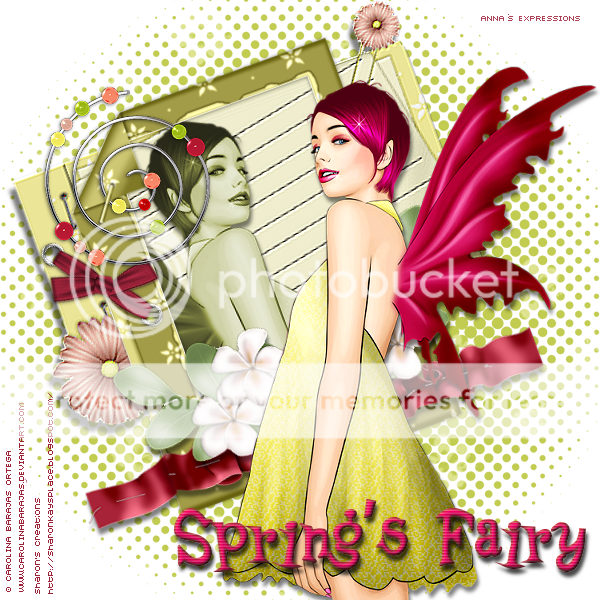
The scrap Retro (FTU) made by Sharon of Sharon Kay's Place.
You can download it HERE
PSPX2
Eye Candy 3
FM Tiles Tool
Material
Start:
This is only my rendering, the scrap has a lot of stupendous elements and papers to use your creativity you can make beautiful and diverse images.
1-Open an new transparent layer. Selections-select all.
Open Retro paper 12 sco9-Copy and passte into the selection. Selections none.
2-Open the proportioned mask. Minimize.
Mask-new from image. Look in the window for the mask. Invert not checked, mask layer merge group.
Apply filter FM-Tools-Emboss-Blend Emboss-parameters leave the same.
3-Open brush-copy and paste as a new raster layer. Layer organize send to bottom.
With the selection tool stretch the nodes to adjust completely the layer.
Lower the opacity to 50.
4-Open Retro frame1 sco9. Resize 60%. Paste as a new layer. Adjust-sharpen.
Shadow 8/-1/50/10 Black
5-Open Retro frame3 sco9. Resize to 60%. Paste as a new layer. Adjust-sharpen
Shadow 8/-1/50/10 Black
6-Apply to both frames.
Effects-inner bevel. With the following parameters:
7-Apply Eye Candy 3-Glass. Parameters:

8-Open Retro buckleo5 sco09. Paste as a new raster layer.
Image-rotate freely 40degrees to the right
Resize to 110%. Place in the position of the model.
Adjust-sharpen
Duplicate the layer. Organize send layer to bottom 3X (do it 3 times ).
( the copy of the buckle should be below the red frame).
Go back to the original buckle layer. With the eraser with a size of 25, erase the metalic part that is ontop of the frame and part of the buckle, so that it looks that is it attached.
Shadow 8/-1/50/10 Black
9-Open Retro pino4 sco9. Copy and paste as a new layer. Image-flip resize to 80% place on the side of the ring.
10-Open retro element7 sco9. Resize 70%. Place ontop of the red frame.
Shadow: 7/-2/50/10 Black
11-Open retro element7 sco9. Resize 70%. Place ontop of the blue frame.
Shadow: 7/-2/50/10 Black
12-Open retro tago5 sco9. Copy and paste as a new raster layer.
13-Open word art. Copy and paste as a new raster layer.
Shadow: 3/-10/50/5 Black
14-Open the tube of the girl. Copy and paste as a new layer.
Layers organize send to bottom 2X
Shadow: -1/9/50/10 Black
15-Apply your text and give credit to the tube and scrap.
Finished!! I hope you like the tutorial.
Kisses,
Anna
Translated by Silvia




0 comentarios:
Publicar un comentario