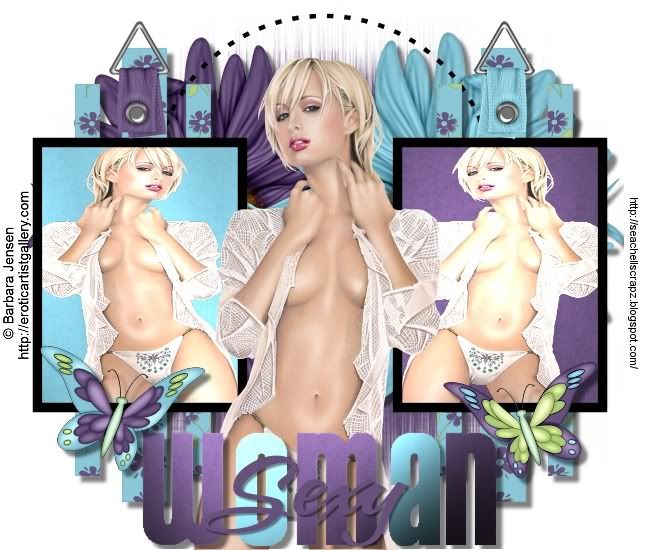
Tutorial done with the beautiful free scrap Garden Delight mini Freebe from Seachel's Scrapz, you can find it HERE.
I have used an image of Barbara Jensen http://eroticartistsgallery.com/ this tube is given to us for free HERE where you will find two more to download.
Additional material HERE.
Plugin Graphics Plus/Cross Shadow.
Start
1-Open an image 650x550, paint it color white.
2-Open another raster layer/seleccions/select all, copy Paper3 paste into selections, selections none.
3-On the same layer apply the mask gs-mask-circle-030, go to mask, mask from image, invert mask and luminance marked, apply the mask, then mask/delete say yes.
4-Go to the Flowers of the scrap.
-Flower: Seach-GD-flower5 resize 70% of the image/sharpen
-Flower: Seach-GD-flower6 resize 70% of the image/sharpen
-Copy and paste the flowers ontop of the mask, see image.
5-Copy and paste as a new layer in frame2, with the magic wand click on the 6 layers of the frame, keep selected, copy and paste into the Paper5, selections/none.
6-Copy and paste as a new raster layer frame4, with the magic wand click on the first frame, keep it selected and copy and paste into Paper4, without deselecting copy and paste the girl tube, image/mirror so that it is looking the other way, selections/none.
7-In Frame2 click with the magic wand, copy and paste into Paper3, without deselecting, copy and paste the girl tube, see final image, selections/none.
8-The frame all done with all papers done and the girl tube, apply Filter Graphics Plus/Cross Shadow, values 50,50,50,50,50,50,50,128.
9-Copy and paste Frame3 border black, ontop of the frames of the girl tube.
10-Copy and paste as a new layer, girl tube as is, see the image.
11-Elements Bukle:
-Seach-GD-bukle3 resize 20% of the image, image/free rotate 180. Image/sharpen.
-Seach-GD-bukle2 resize 20% of the image, image/free rotate 180. Image/sharpen.
-Copy and Paste as a new layer, ontop of all the frames see image, colors/inverted.
12-Elements Butterfly:
-Seach-GD-Butterfly1 resize 30% of image, image/sharpen.
-Seach-GD-Butterfly2 resize 30% of image, image/mirror.
13-Copy and paste frame0 as a new layer, see final image, copy and paste the letter templates Woman and sexy.
14-Drop Shadow applied to: elements bukle, letter frames at 6,6 opacity 50, blur 5 color black.
I hope you enjoyed this tutorial, you may consult with me with any questions. Natty
Translated by Silvia




0 comentarios:
Publicar un comentario